.svg)
.svg)

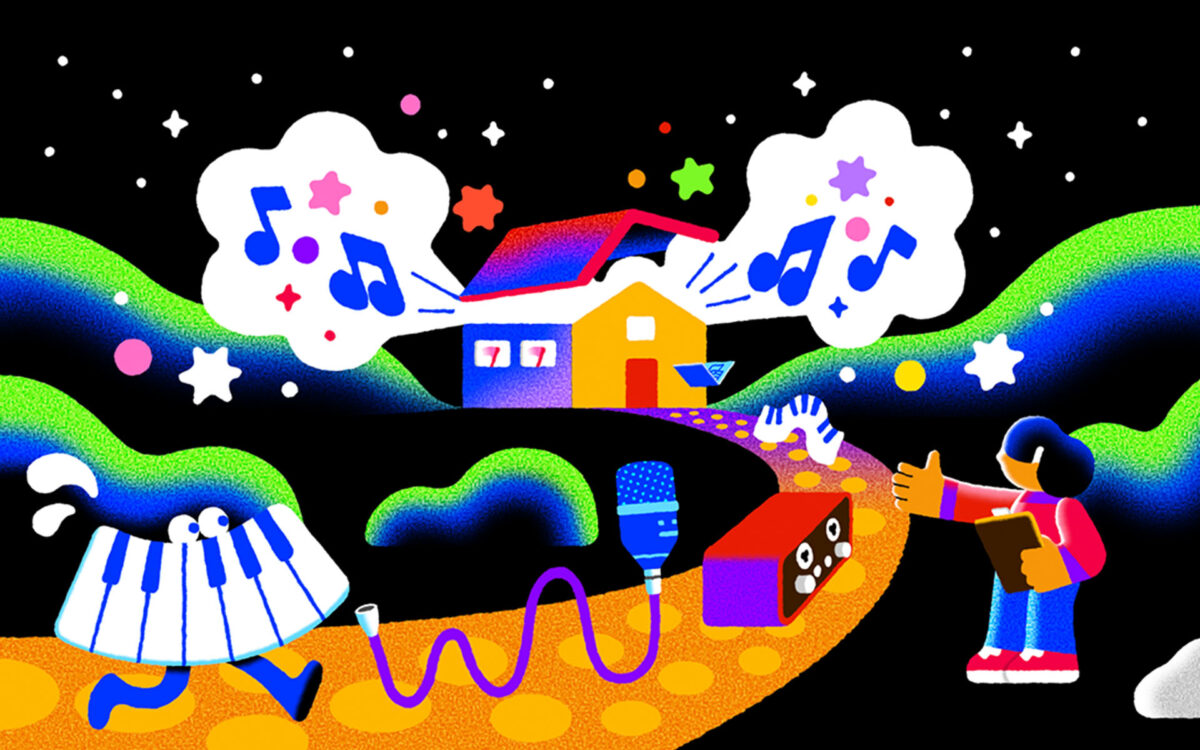
Illustration: Filip Fröhlich
Setting up your home music studio can be an exciting but daunting process.
With so many potential pieces of equipment to gather, which each come with their range of options and price points, it can be hard to figure out what you truly need now and what you can add to your arsenal down the line.
In this in-depth home music studio setup guide, we’ll break down the full process by digestible categories, and discuss which pieces of gear are actually essential and which are nice-to-haves depending on your unique needs as a music producer. We’ll also provided dedicated resources that let you double click into each to learn more.
Feel free to use the table of contents below to easily navigate to a specific section.
Our home studio setup guide:
Feeling ready? Let’s dive in!
Home music studio setup: The absolute essentials
Let’s start with the non-negotiable equipment you’ll need in any and every home studio—these are basically interchangeable with essentials for music production in general.
1. Computer / laptop
For making recorded music in 2026, a computer or laptop is without doubt the single most mandatory thing you’ll need. While it is possible to make music on a mobile device, most popular digital audio workstations (DAWs) run on computers, and you’ll be able to create with more control and power with them. Many of the other pieces of equipment we’ll cover—like audio interfaces, MIDI controllers, microphones, etc.—are also made with the intent to connect to your computer or laptop as the central hub.
If you already own a computer or laptop for non-music use, there’s a good chance you can also use that for your home recording studio. That said, there are some factors worth considering, like RAM, CPU, and connection types that have specific implications for digital music production. It should also be noted that some pieces of software are specific to Mac or Windows; for example, Logic Pro is only available on Apple devices, so if using that DAW is a must for you, then you’ll need a Mac.
For more on factors for choosing a great laptop for music production, check out our dedicated guide below:
2. DAW
Once you have your laptop set up, you’ll need to install a DAW if you haven’t already. The DAW is a piece of software that provides you with the virtual space and tools to create your own music. Their interfaces enable the recording, playback, editing, and exporting of audio files.
You can make great music in any DAW, and you don’t have to stick with the one you first choose forever—but it does pay off to learn the ins-and-outs of one before you explore a multi-DAW workflow, so you’ll want to make an intentional choice here.
If you’re not sure which DAW to pick, you can check out our guide below that compares factors like price points, unique features, and more—there’s no single best DAW for everyone, so it really comes down to identifying the software that best aligns with your needs and preferences:
3. Plugins
Most DAWs come with a collection of built-in software (called “plugins”) that aids you in making music. These might be software instruments that allow you to emulate the sound of real instruments (like a piano or guitar) or synths that let you design any sound you can imagine. They might also be effects plugins, which let you color the sound of your software instruments or audio recordings with reverb, EQ, etc.
If you’re still early in your music production journey, the built-in plugins in your DAW should provide more than enough for you to explore and learn with. However, if you’re a bit further along, or want to use your home music studio setup project as an opportunity to also level up your digital toolkit, there are an infinite range of third-party options that can further build on what comes with your DAW.
If you’re on a budget or want to start with zero-cost options, Splice INSTRUMENT is a free-to-download powerhouse software instrument that comes with tons of world-class presets that you can use right away. You can also check out Rent-to-Own, which allows you to access incredibly powerful plugins like Xfer Records’ Serum, Spitfire Audio’s BBC Symphony Orchestra Professional, iZotope’s Ozone, and more for a low monthly cost that goes towards perpetual ownership.
4. Headphones
Next, you’ll want a quality pair of headphones to hear the music that’s coming out of your DAW. This is one place where you might want to make a proper investment sooner rather than later, as you’ll be able to hear what you’re working on with more detail and quality than with a cheap pair of earbuds, for example.
This doesn’t mean you need to immediately drop $1,000 on the most premium headphones on the market—for even around $100, you can find a range of headphones (like Audio-Technica’s ATH-M50x or Sony’s MDR-7506) that are specifically geared for studio monitoring and music production that should be a significant upgrade from average consumer options.
As you’re exploring different options for headphones, you might come across terms like open-back vs. closed-back, frequency response, and more—we cover these and other factors you might want to be aware of in our guide below:
5. Desk
This one might sound almost too obvious, but you’ll need a desk to put your laptop or computer on, in addition to any other gear that you might amass.
Technically, any desk will do, but it’s worth noting that there are also tons of desks specifically made for music production out there—see the Output Platform Studio Desk for example, which comes with a keyboard tray, cable management system, and and other features that might be useful for a fleshed-out music studio.
These kinds of desks look great and absolutely have their perks, but can also easily climb up to $1,000 and more in price. They’re worthwhile investments if you’re looking to really invest in your home recording studio for the long term, but if you don’t have the funds, they’re certainly not mandatory from the jump—you can use whatever desk you might already own. If you can, try to adjust its height so that your wrists sit at a comfortable position; you might be working on it for hours at a time, so you want to avoid any carpal tunnel if you can.
6. Chair
On a similar note, you’ll also want a chair to sit on to face your desk. Once again, any chair will technically do, but you’ll again want to prioritize your comfort and physical health.
Office and gaming chairs can be good places to look, as many of them have features like adjustable recline, height, and lumbar support for prolonged comfort. Try not to be too swayed by flashy marketing—if you can, going to a store and sitting in some chairs yourself can help you figure out which options feel the best for your body.
A computer, DAW, plugins, headphones, desk, and chair are all you truly need to make music at home. Next, we’ll get into the almost-essentials—the things that will make your simple desk setup really start to feel like a recording studio.
Home music studio setup: The almost-essentials
Below are the things that you’ll almost certainly want that could also be essential depending on what kind of music creator you are.
1. Loudspeakers
A pair of speakers, though not essential for just starting out with making music, is essential for your long-term journey as a music producer and is something you’ll want to get sooner rather than later. At a proper volume, speakers can help mitigate the ear fatigue you can get from working on headphones alone, which is important for protecting your hearing (which is more important than anything).
Speakers can also help you hear details that you might miss on headphones, and vice versa—and in general, diversifying the mediums you’re listening to your music on can help you create a balanced mix that works for the various environments that your listeners will also be playing your music on. They’re also just plain fun to work on.
Like headphones, speakers also have a wide range of price points—and also like headphones, what’s most important is developing an intimate understanding of what you’re working with as opposed to blindly picking the most luxurious option or constantly jumping from one to the next. If you’re not sure where to start, companies like Yamaha, KRK, PreSonus, and JBL have long histories of producing solid products across price points.
2. Audio interface
If you get a pair of speakers, you might be surprised to find that there’s not an easy way to connect them to your computer—this is where an audio interface comes in. An audio interface is a physical device (usually in the shape of a box) that allows you to get sounds in and out of your computer. In addition to connecting your computer’s audio output to your speakers, it can also let you connect devices that input information to your computer, like microphones and MIDI keyboards.
If you’re a vocalist, for example, an audio interface might actually be an absolute essential for your home studio setup because you need to connect a mic to your DAW. Different interfaces will have different preamps and a different amount of inputs, and these sorts of factors determine how their prices scale.
For more on audio interfaces and choosing the right one for you, you can see our detailed guide below:
3. MIDI keyboard (or controller)
A MIDI keyboard is an electronic musical keyboard that uses MIDI to transmit digital signals. The major upside to using a MIDI keyboard over one that only outputs audio is that you can freely edit your performances and change the timbre to any sound of your liking in the DAW. Even if you’re not an expert pianist, it can be a useful tool for auditioning sounds and experimenting with melodies and chords.
There are also MIDI controllers that aren’t shaped like keyboards, like the Akai MPC which is more tailored towards drums and beat making.
Having a MIDI keyboard definitely helps make your production space look and feel like a music studio, and it could be indispensable if your primary instrument is the piano. However, despite its omnipresence, it’s not an absolute essential for music production, since you can alternatively use a DAW’s musical typing tool or directly draw in MIDI to also arrive to the same end result (although it may take a lot more time if you’re trying to engineer a humanized, preformed feel in the box as opposed to playing it in).
4. Microphone(s)
We put microphones in this section of the list for two reasons. First, if your music can be produced exclusively in the DAW, it’s simply not a necessity. Secondly, if you’re just starting out, there’s actually an underrated amount you can achieve with your smartphone’s built-in mic and some clever audio processing—especially for genres like lo-fi and indie pop where pristine audio quality isn’t always mandatory.
That said, if you are doing any sort of serious audio recording (like recording your voice or an acoustic instrument) and you want the highest-quality results possible, you’ll want to invest in a decent microphone.
Microphones have a lot of different specs—different types (dynamic, condenser, ribbon, etc.) and different polar patterns (omnidirectional, cardiod, bidirectional, etc.) can present you with a lot of information that’s all relevant, but potentially paralyzing. If you’re not sure where to start, we break down these considerations and share some specific mics arranged by price ranges in our in-depth guide below—while we focus on vocals, these can absolutely be used for instruments as well:
If you are recording vocals, consider also looking into getting an adjustable mic stand and a pop filter, which will help attenuate plosive sounds that are a part of human speech.
As you build out your home recording studio, you’ll likely amass different microphones over time that have different characteristics and serve different purposes—but to start, try to get one that you feel is a balanced all-rounder within your budget.
5. Audio cables
It might be obvious, but all the gear we’ve discussed so far in this section needs audio cables to connect themselves to each other and your computer. Some gear will come with cables, while others will require you to purchase them separately—make sure you check when you buy anything, and see our audio cable guide below if you need help figuring out which ones to get:
6. External hard drive
Audio recordings, music software libraries, and DAW projects are all relatively large files that can quickly add up to double digits in gigabytes. If your computer is overflowing with storage space, this might not be an immediate concern, and if you’re not recording your own sounds, you might find that your DAW projects aren’t so large.
However, at some point, an external hard drive will no longer be a nice-to-have and become a necessity, so it could be worth investing in one early. This will also enable you to organize your audio libraries in one place and easily transfer them and any projects across multiple devices. Another key reason to invest in external storage space is for backups—many of us spend a lot of time and effort making our music, and nothing feels worse than an unexpected computer malfunction wiping away magic that can’t be easily recreated.
When it comes to choosing an external hard drive, getting an SSD over an HDD is key if you’re looking to load libraries and software from it since they have much faster read and write speeds. You’ll also want to make sure its connection type is supported by your computer’s input jacks.
Home music studio setup: The next steps
Last but not least, here are some things that are great to have if you have the space and budget.
1. Acoustic treatment
We don’t mean to undermine the importance of acoustic treatment by placing it in this part of our list—proper room treatment will make a world’s difference when it comes to how you hear the sounds in your home studio, and many experts will tell you that you can make decent loudspeakers sound amazing in a well-treated space, but amazing loudspeakers won’t sound great in a horrible acoustic environment.
That said, we’re considering it a “next step” in home music studio setups because loudspeakers and / or audio recording needs are a pre-requisite to making acoustic treatment relevant; if you’re doing all of your production in your DAW and on a pair of headphones, it won’t matter much at all.
There are many different ways to optimize a space for better acoustics, and depending on your budget you can do anything from investing in expert-made panels and bass traps to using household items like blankets and window curtains—we break down both of these approaches in our guide to DIY home studio acoustic treatment:
Note that acoustics isn’t just about installing things—even being intentional with where and how you place your speakers in your room can have a meaningful impact.
2. (More) instruments
DAW-based music production allows us to make truly professional-sounding tracks without ever touching a physical instrument. While this is certainly a gift, if you have the budget, space, and time, physical instruments present a singular and irreplaceable tactile joy for music creation that can spark inspiration and ideas that you may have never conceived if you solely worked in the box. They’re also handy to have if you ever invite any collaborators who may ideate and preform with a certain instrument.
While guitars, pianos, and drums are common pieces of home studios, you don’t have to have the most luxurious instruments in each of these categories or feel tied to them—even having a shaker, ukulele, or otamatone around can help you feel out ideas and see the music you’re working on in your computer from a new perspective.
3. Outboard gear
These days, audio plugins do a truly remarkable job at imitating effects like compression and saturation that we once only achieved with physical outboard gear. That said, it’s undeniable that these pieces of hardware have shaped the sonic footprint of so many of the records we love, and career audio engineers will tell you that there is something magical about the imperfections and “warmth” of physical effects units. While they don’t offer the same flexibility to adjust after-the-fact, there is also something enjoyable about dialing in a physical knob, and it can encourage you to rely more on your ear than numbers on a screen.
Outboard gear is a luxury, not a must—plain and simple. But, if your budget permits, a physical compressor, pre-amp, or reverb unit can be an inspirational addition to your home studio.
4. Ambiance
You’re going to (hopefully) be spending a lot of time in your home music studio, so you want it to be a space that feels comfortable and inspiring. What that looks like will be different for everyone, but many music creators enjoy installing some simple mood lighting, decorating their desk with their favorite knickknacks, or lighting a scented candle that promotes relaxation and focus.
Obviously, ambiance isn’t mandatory—but these little non-musical additions can play a meaningful role in promoting your musical creativity, so we figured it’s a good way to round out this list. Just don’t go overboard with flashing neon lights or anything over-the-top that might become a distraction rather than a mood-setter (unless flashing neon lights help you get into the zone, in which case by all means go for it).
And there you have it! Hopefully this guide gave you a solid foundation for what you need and what you might want to get for your home music studio. Setting up your space should be a fun process, so if you feel overwhelmed, just take a breath, take your time, and gather things in small chunks going by priority and enjoy each new addition as it arrives.
Are there any key home studio essentials we missed? What topics would you like to see us explore next? Start a conversation with us and an ever-growing community of music creators via the Splice Discord.
Explore royalty-free one-shots, loops, FX, MIDI, and presets from leading artists, producers, and sound designers:
September 4, 2026