• Sounds
  • INSTRUMENT
  • Create
  • Rent-to-Own Plugins
  • Blog
  • Pricing
  • Log in
  • Try now
  • Log in
  • Try now
  • Sounds
  • INSTRUMENT
  • Create
  • Rent-to-Own Plugins
  • Blog
  • Pricing
  • Log in
  • Try now
  • Log in
  • Try now
  • Sounds
  • INSTRUMENT
  • Create
  • Rent-to-Own Plugins
  • Blog
  • Pricing
  • facebooktiktokyoutubeinstagramdiscord
      • Inspiration
      • Mastering
      • Mixing
      • Music Promotion
      • Music Theory
      • Recording
      • Sampling
      • Sound Design
      • Tools
      • All Tips & Tutorials
      • Ableton Live
      • Bitwig Studio
      • Cubase
      • Fender Studio Pro
      • FL Studio
      • GarageBand
      • Logic Pro
      • Pro Tools
      • All DAWs
      • Free Drops
      • Free MIDI
      • Free Plugins
      • Free Presets
      • Free Project Files
      • Free Sounds
      • All Free Content
      • Artist Interviews
      • Features
      • News
      • All Stories
    • All Posts
    • Get 50% Off Splice
      • Inspiration
      • Mastering
      • Mixing
      • Music Promotion
      • Music Theory
      • Recording
      • Sampling
      • Sound Design
      • Tools
      • All Tips & Tutorials
      • Ableton Live
      • Bitwig Studio
      • Cubase
      • Fender Studio Pro
      • FL Studio
      • GarageBand
      • Logic Pro
      • Pro Tools
      • All DAWs
      • Free Drops
      • Free MIDI
      • Free Plugins
      • Free Presets
      • Free Project Files
      • Free Sounds
      • All Free Content
      • Artist Interviews
      • Features
      • News
      • All Stories
    • All Posts
    • Get 50% Off Splice
    Search our blog
    Back to blog

    plugins

    Ableton Live

    Create Custom VST Plugin Racks in Ableton Live

    Learn to create custom VST plugin racks using Ableton Live 9's Instrument Racks, your favorite third party plugins, and the new User Library.

    Eelke Kleijn
    Artist Interviews

    Veteran Eelke Kleijn Calls Out Top 5 Plugins

    Check out Eelke Kleijn’s top 5 favorite plugins for music production from iZotope, Native Instruments, Spectrasonics, and more.

    News

    The Future of Plugins on Splice: 1-click Purchase, License Backup & More

    Experience Splice with new sounds 1-click away, the moment inspiration strikes.

    Tips & Tutorials

    Top 5 Plugins Used with Splice Projects in 2014

    Learn about the most popular plugins used by the Splice community in 2014.

    Tips & Tutorials

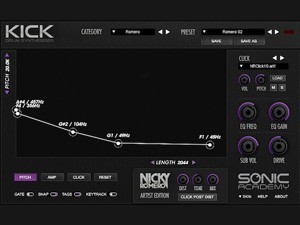
    Exploring Sonic Academy’s Kick by Nicky Romero

    Sonic Academy has teamed up with veteran producer Nicky Romero to craft Kick, an instrument that’s arguably one of the finest drum synthesizers available.

    Sub Boom Bass Splice
    Tips & Tutorials

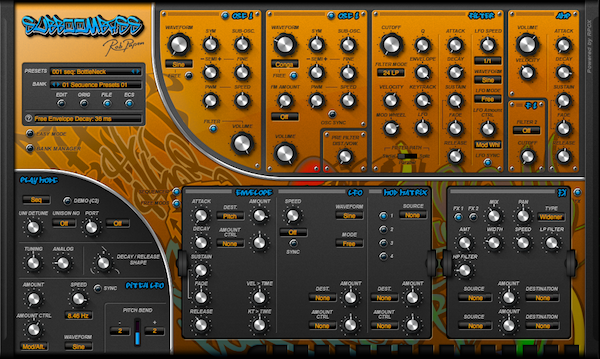
    Get Down Low with SubBoomBass from Rob Papen: Explore Features and Splice Projects

    Learn more about this unique plugin and check out some artists on Splice that use this plugin in their projects.

    Tips & Tutorials

    Exploring Synthesis with Reveal Sound’s Spire Plugin

    Spire, created by Reveal Sound, is a versatile hybrid synthesizer capable of creating everything from simple sounds to complex multistage waveforms.

    Logic Pro

    Using Logic Pro X with 32-Bit Plugins: Learn more about 32 Lives & JBridge!

    Learn more about using 32-bit plugins with Logic Pro X. JBridge or 32 Lives are simple solutions that will seamlessly integrate with your DAW.

    Tips & Tutorials

    Using the Sugar Bytes WOW2 Filter to Sweeten Up Your Productions

    Learn about the Sugar Bytes WOW2 Filter Box, a veritable Swiss army knife of a filter unit.

    Mastering

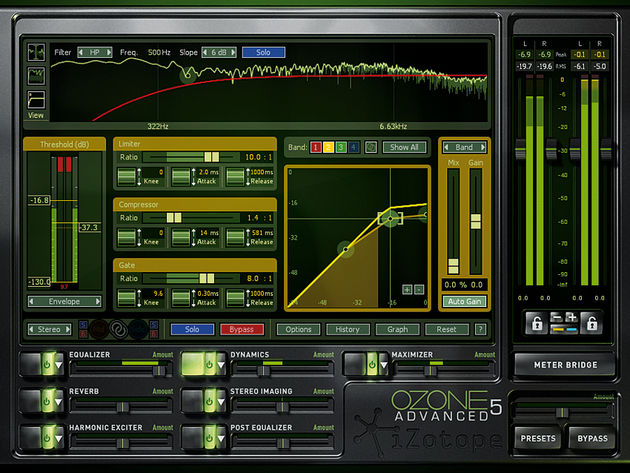
    10 Tips For Mixing and Mastering with iZotope Ozone 5

    It comes as no surprise that Ozone 5 is highly ranked among Splice users - it packs an array of powerful mastering tools into an intuitive user interface.

    Tips & Tutorials

    Exploring the U-He Diva – Huge Analog Sound in a Compact Digital Interface!

    While the U-He Diva isn’t the first to model an analog-style subtractive synth, its immense attention to sonic quality has made it one of the best around.

    Tips & Tutorials

    Image-Line Releases Four More Popular Soft-Synths for OS X – Available for Free Alpha Testing Now!

    Image Line’s proprietary plugin modules have historically only been available natively for their own FL Studio software, but this soon about to change.

    • 24
    • 25
    • 26
    • 27
    • 21
    • 22
    • 23
    • 24
    • 25
    • 26
    • 27

    Try Splice today

    Start now

    Sounds

    • Search All
    • Build a Stack
    • Browse Catalog
    • Instruments
    • Genres
    • Presets
    • New Sample Packs
    • Trending Sample Packs
    • Stories Behind the Sounds

    Plugins

    • Splice INSTRUMENT
    • INSTRUMENT Preset Packs
    • Rent-to-Own Plugins
    • Free Plugins
    • Spitfire Audio Plugins
    • Serum 2

    Tools

    • Splice Create
    • Sounds Plugin
    • Desktop App
    • Mobile App
    • Bridge
    • Studio Pro Integration
    • Pro Tools Integration
    • Ableton Live Integration
    • Cado: powered by Splice

    Blog

    • Latest Posts
    • How to Make Music
    • Music Theory Tips
    • Sampling Techniques
    • Newsfeed
    • Free Drops

    About

    • About Splice
    • Spitfire Audio: A Splice Company
    • Community
    • Ethics
    • Innovation
    • Plans
    • Splice in the Classroom
    • Splice for Students
    • Community Spotlight
    • Affiliates
    • Do Not Share My Personal Information

    © 2026 Splice.com All Rights Reserved

    • Terms of Use
    • Privacy Policy
    • Jobs
    • Contact
    • Help
    • Sitemap
    facebooktiktokyoutubeinstagramdiscord