.svg)
.svg)

While you can make trap beats in any DAW, many of the genre’s most well-known producers seem to naturally gravitate towards FL Studio.
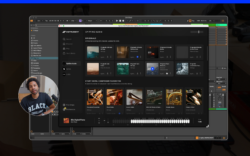
In the tutorial video above, expert producer and beat maker Isaac Duarte returned to the Splice YouTube channel to showcase how to make a trap beat in FL Studio. Watch along as he starts with a chord progression, produces his own sample using Splice Sounds and Bridge, and tops it off with some drums and a piano from Splice INSTRUMENT—and read some key takeaways below.
Bring Splice directly into your DAW with the Sounds Plugin (beta). Audition millions of samples, explore our latest search tools, and instantly create variations of any Splice sample.
How to make a trap beat in FL Studio
BPM
Trap beats often make use of higher ranges for tempo—anywhere from ~130 – 170 BPM can be a solid starting point.
Instrumentation
Trap is perhaps best known for its 808s. Dirty sub-basses also work great, alongside punchy kicks, crisp hi-hats, and snappy snares. Synth leads, pads, keys, and vocal samples can also be used to establish the genre’s brooding mood. That said, everything is contextual—there’s no single element that you have to use.
Chord progressions
Minor chord progressions work best for trap; in the tutorial, Duarte showcases how to use FL Studio’s scale lock feature so that beginners can make sure that everything stays in key. Inverting your chords can allow for smoother voice leading from one chord to the next.
Synth pads, pianos, and keys work best for voicing your chord progression; in the tutorial, Duarte uses a combination of these, including the Soft Piano preset from Splice INSTRUMENT. Once you have a progression in place, you can also tuck an arp into the background that follows it for some additional movement.
Bass
Your bassline can largely follow the root notes of the chord progression, but try adding some connecting phrases and fifth and octave jumps for additional character. Duarte recommends the Juno-style synth bass out of the Lenno pack for use in FL Studio. Just make sure you shape the ADSR so the bass doesn’t sustain indefinitely.
Learn more about writing basslines for trap and a wide array of other genres in our dedicated guide:
Drums
Duarte takes a Memphis-inspired approach to sequencing his trap drums in FL Studio, drawing on the sounds of producers like Tay Keith and Three 6 Mafia. He specifically goes to the Pooh Beatz x Go Grizzly Manifest Drum Kit to gather some drum one-shots.
Simplicity is at the core of making an effective trap beat pattern—if you can tap it out on a table, it’s the right direction. The 808 follows the kick, but doesn’t land on it at the same time; they play off each other, which gives the groove more bounce.
Song structure and mixing
When looking at the big picture, keep the song structure of your trap beat simple—think along the lines of intro, verse, pre-chorus, chorus. Copy sections and make small changes, rather than over-engineering it. Especially if you’re producing for someone else, the goal is to leave space for the artist to do their thing.
And as far as mixing, sound selection and leveling should be about 80% of the battle—by the time you’re at this stage, most of the work is already done. If you’re having trouble with overall clarity, try attenuating the low end on instruments like the piano with an EQ to reduce muddiness, and raise the highs a touch for air. Reference across different listening environments—your headphones, laptop speakers, monitors, phone speakers, etc.—before making final calls.
And there you have it! Hopefully this guide gives you a solid foundation for making a trap beat of your own in FL Studio. Which part of Duarte’s tutorial was your favorite? What genres would you like to see us explore next? Let us know in the comments section of the video, and subscribe for more producer-led breakdowns and tutorials.
Explore Splice INSTRUMENT, our virtual instrument plugin that puts an ever-growing catalog of free and premium sounds at your fingertips:
August 12, 2026