.svg)
.svg)


While Pro Tools’ stock plugins can take you very far, the needs are different for any given producer to fulfill their creative vision to the fullest.
More than likely, to find the best Pro Tools plugins for you, at some point you’ll look to the expansive world of third-party options.
“Third-party” refers to software components that are developed by entities other than those who built the digital audio workstation (Apple, BitWig, Ableton, and so on). Not all of these plugins work with every single DAW, but collectively represent a massive opportunity for producers to affordably expand their toolkit and capacity for musical expression.
Pro Tools—one of the original DAWs—offers its users access to one of the biggest plugin ecosystems in the audio world. From mixing tools to virtual instruments, you can build your locker with whatever you need to complement its stock plugins while fitting your budget.
In this article, we pull together some of our favorite free and paid plugins available today that are specifically compatible with Avid’s Pro Tools. You’ll find options for both beginners and seasoned engineers who want dependable, high-quality tools to serve the recording, mixing, and mastering processes. Whether you need a virtual instrument to define your sound or the top post-production tools to prepare your work for sync, we’ve put this guide together for you to return to as often as you need.
Feel free to use the table of contents below to quickly navigate to a specific section.
What you’ll learn:
- Pro Tools plugin format basics
- Free plugins for Pro Tools: Top picks
- Paid plugins for Pro Tools: Top picks
- Getting started with the right plugins for your workflow
Pro Tools plugin format basics
Before considering what plugins suit your setup in Pro Tools, it’s important to note that not all plugins work with all DAWs, at least by design. In the case of Avid, the primary format of plugins to look for are in the AAX, or Avid Audio eXtension, format. Some formats common to older versions included RTAS (Real-Time Audio Suite) and TDM (Time Division Multiplexing), but AAX has replaced these over time.
Another common format is VST. Short for Virtual Studio Technology, this software framework allows developers to create some of the best plugins out there which work with most DAWs automatically. This allows for a wider reach for these third-party plugins, rather than strictly adhering to Avid’s format.
The good news is that most plugins offer multiple formats, similar to software with different packages for Mac and Windows. In the Splice Rent-to-Own marketplace, you can easily find these details (ex. “Available as AAX, AU, Standalone, and VST”) in each page underneath the name of the plugin.
Free plugins for Pro Tools: Top picks
While stock plugins can cover your fundamental needs, looking at other free additions for your toolkit affords you more flexibility that anyone with hard drive space can afford.
Free audio processing plugins
Let’s start with AAX plugins that allow you to manipulate your existing audio. Use the following tools to shape tone, control dynamics, and create more space and clarity in your projects.
- TDR Nova by Tokyo Dawn Labs is a free dynamic EQ known for precision and transparency. Turn to this plugin for your harshest frequencies and moments of vocal clipping where you wished you used a pop filter. It also notably requires very low CPU, which is important in a rather large program like Pro Tools.
- SPAN by Voxengo offers real-time spectrum monitoring and analysis. Its high-resolution visualization is perfect for keeping on your second monitor as you mix to help identify peaks or imbalances. Sometimes, the longer you listen to a mix, the less effective your ears can become; monitoring tools like SPAN can act like your second engineer when you’re feeling the fatigue.
- Supermassive by Valhalla is a powerful hybrid reverb and delay plugin that’s adored for its larger-than-life sound. Try testing it out by going to a project you’ve already produced with a stock reverb, and then A/B-ing it with Supermassive to hear the difference.
- Rough Rider 3 by Audio Damage is a straightforward compressor with over half a million downloads. The latest version includes an external sidechain input, the ability to turn off the built-in “warming” filter, and more accurate metering.
Free virtual instruments
In order to add effects to your sounds, you need to generate them first. While Avid offers a nice range of stock effects plugins for Pro Tools, the selection of instruments is rather minimal by comparison. If you’re looking to expand your sound-shaping options outside of your physical instruments and the versatile Xpand2!, consider starting with these free options.
- INSTRUMENT by Splice provides an ever-growing library of hundreds of free presets, which feature everything from otherworldly synths to classical instrument emulations. It’s also the new home for Spitfire Audio’s beloved LABS catalog, and every month you can access a rotating selection of premium sounds at no cost via Free Drops.
- Analog Lab Play by Arturia is an excellent way to get a taste of the manufacturer’s legendary emulations. The collection features 100 mix-ready synths, keys, basses, and pads, and if they spark your interest, you can also try many of their premium plugins collections for free.
- SSO Discover by Spitfire Audio brings a selection of sounds from the iconic Spitfire Symphony Orchestra to your DAW, serving as a perfect gateway into orchestral composition. Note that you’ll need the Kontakt Player (more on this below) to use it, which is in itself Pro Tools compatible.
Depending on your Pro Tools plan, you might also have access to Captain Chords Lite, so be sure to check that out if you do.
Honorary mentions for Kontakt and SampleTank
If you’re just getting started with music production, you might come across the word “Kontakt” and not be sure exactly what it represents. Put simply, Kontakt is a software sampler developed by Native Instruments that can house countless virtual instruments made by an array of developers. There’s a free version and a paid version, which could be worth checking out too if you’re energized to dig further.
A final honorary mention also goes to SampleTank, a storied plugin that still offers a free intro instrument as well as a mobile plugin. IK Multimedia touts the initial release in 2001 as the music industry’s first sample-based sound workstation, and was at this time a stock plugin on Pro Tools. As time has gone on, it’s no longer available as a standard with a far wider range of packages, but they’ve maintained the free version so you can give it a go and use it as-is, or upgrade to expanded versions.
Paid plugins for Pro Tools: Top picks
Paid plugins vary from modest upgrades to premium processors that deliver a refined, unmistakable sound. Let’s hone in on a few Pro Tools-compatible industry favorites that hold up in professional studios.
Industry-leading plugins for mixing and mastering
- Ozone by iZotope will be left out of no lists of top plugins for any DAW. The behemoth of the mastering plugin world lives up to its reputation, making the final steps of music production smoother and more controllable than ever. If you’d like to double down with its mixing counterpart as well, you can get a bundle rent-to-own deal for both Ozone and Neutron.
- Teltronix LA-2A Leveler Collection by Universal Audio is a must-have for mixing a wide range of timbres and dynamics. When you’re not sure where to start, you can open up some presets by Ross Hogarth (Van Halen, Mötley Crüe), Darrell Thorp (Beck, Radiohead), and Vance Powell (Jack White, Chris Stapleton) to reverse engineer the work of the pros.
- Soundtoys 5 is a collection of powerful sound sculpting tools such as EchoBoy, Decapitator, MicroShift, and more. You’ll notice we’ve not yet talked about Soundtoys, and that’s because there are currently no forever-free products offered by this plugin maker. Still, you can opt for a 30-day trial of individual plugins before potentially grabbing this fully-stocked digital effect rack.
- Studio Classics Collection by Waves represents yet another of the most well-known audio plugin developers out there. While many might point you to their standard bundles, the Studio Classics Collection is more affordable and an ode to the hardware that defined some of our favorite music of generations past.
Essential virtual instruments for music production
Paid virtual instruments deliver deeper sampling, more realistic articulation, and expanded creative control. For many producers, these tools form the core sound of their compositions. If you haven’t found that perfect fit from our suggested free options or your own exploration, it’s time to level up with these.
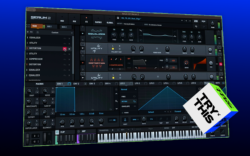
- Serum 2 by Xfer Records might be the most recommended software synthesizer on the planet, and for good reason. Sitting down with this tool to sample, mix, and synthesize feels like a guaranteed ticket to the creative flow state, and the product has not been complacent in its perch at the top. You can also try it for free and rent-to-own it until it’s yours outright, making it highly accessible considering its unparalleled power.
- Kontakt by Native Instruments is notable because not only will you find instruments developed by Native, but third-party developers are welcome and fully supported as well. While we also gave it a nod earlier, the vastness of options and community involvement make it easy to see why Native Instruments refers to Kontakt as “the ecosystem the industry builds on, for every genre.”
- Omnisphere 3 by Spectrasonics is a synthesizer that’s become a staple in film scoring, ambient music, and sound design. With an impressive library of presets and incredibly detailed user controls, this plugin can handle delicate textures, aggressive leads, soundscapes, and everything in between.
While paid plugins will vary widely in price, it’s helpful to keep an eye on which companies sell independently and which are available on different marketplaces. In both cases, it’s quite common to run into bundles or seasonal sales, as well as discounts for upgrading over time. As artists, every dollar counts, and we want to make sure we’re investing in what we actually need.
Getting started with the right plugins for your workflow
Once you understand your personal requirements and preferences for your projects, the specifications of your DAW, and your budget, the last thing you need to do is determine your starting point. Free plugins in particular are a great one because besides potentially saving you money in the long run, they’ll also make you a better producer. The more experience you have tinkering with different layouts, workflows, and innovations of music software, the better you can serve your projects and those of others. Plus, it’s just as valuable to discover what you don’t like as it is to find the instrument that feels like it was made for your sound.
And in the long run, the right combination of free and paid plugins can dramatically elevate your sessions in Pro Tools or any DAW, so start building that locker with intention today, and soon you’ll see how the tools can serve your sound.
Discover, build, and create with Splice—right inside Pro Tools:
March 3, 2026