.svg)
.svg)

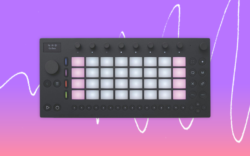
Co-created by Kevin Barker (Tame Impala) and Telepathic Instruments, Orchid is a one-of-a-kind synth that’s designed to help musicians of all levels explore their creativity.
In the video above, expert producer and DJ Devon Johnson unboxes the Orchid and demos its various creative use cases and unique chord generation technology. He also showcases how the synth can integrate with DAW workflows, building a full beat from scratch by using its chord logic system as a MIDI controller to trigger sounds inside of Splice INSTRUMENT. Watch along to hear the synth in action, and read highlights and key takeaways below.
Our review of Telepathic Instruments’ Orchid:
- How Telepathic Instruments’ Orchid works
- Built-in sounds and performance modes
- Integration with the DAW
- Conclusion
Let’s dive in!
How Telepathic Instruments’ Orchid works
“Telepathic Instruments calls the Orchid an inspiration machine, and it delivers on that,” Devon says. “It can generate chords in key or out of key, which allows you to get really creative. Even for someone like me who’s a keys player and tends to fall into the same habits, it can break you out of those patterns and push you toward chords and progressions you wouldn’t naturally play on your own.
“It’s simple to use. You can lock it to a key, and any key you press will give you something diatonic to that key. But, you can also break that up—holding down Minor gives you a minor chord, Minor and m7 gives you a minor 7, Minor and 9 gives you a minor 9, and so on. You can also change the voicings, toggle the bass on or off, and set the bass to only trigger when you’re playing chords. With the Key lock off, you can play a melody freely and just add chords when you want, with the bass hitting only on those chords.”
Built-in sounds and performance modes
“The bank of built-in sounds is one of the most impressive parts of the Orchid,” Devon tells us. “They lean toward analog-sounding retro synths—you get a lot of organs, pads, and sparkly arpeggios. Each sound has its own set of performances and effects. The performance can be set to Strum, Slop (which gives a slightly different timing each time you press a key), or various arpeggiator modes that keep going continuously. Effects like delay can be adjusted per sound as well. Another great thing it has is a built-in drum machine with different drum sounds including trap and disco, and a looper that lets you throw down an idea and overdub over it.”
Integration with the DAW
“One of the coolest use cases is sending the Orchid into a DAW like Ableton Live to control different synths,” Devon explains. “When you plug it into your computer via USB, it’ll ask whether you want power or USB MIDI—for our demo, we’ll select USB MIDI. In the Orchid’s settings under Audio / MIDI, you can assign different outputs to different MIDI channels: I’ve set up bass on one channel, chords on another, and an arpeggiated pattern on a third. In Ableton, I’ve set up three corresponding instances with Splice INSTRUMENT.
“I can now control all three simultaneously from the Orchid, and from there, it’s about experimenting with sounds. Adding a drum loop from Splice and layering additional instruments on top rounds out the session.”
Be sure to go to 5:33 in the review to watch Devon create his beat in Ableton Live, as you can get a much deeper sense of the integration when you see the synth in action.
Concluding our review of Telepathic Instruments’ Orchid
And there you have it! Hopefully this review and guide gave you a better idea of how Telepathic Instruments’ Orchid works, and how it can be used in the context of an actual production.
“It’s a very special machine—I highly recommended you check it out,” Devon says. “It is pricey, so if you don’t have the dough, there are other options, but if you have it and want to spend the money, it’s a wonderful way to get inspired.”
What are your thoughts on the Orchid? What other synths or hardware would you like to see us review next? Let us know in the comments section of the video, and subscribe to the Splice YouTube channel for more breakdowns, tutorials, and insights.
Explore Splice INSTRUMENT, our virtual instrument plugin that puts an ever-growing catalog of free and premium sounds at your fingertips:
July 9, 2026