.svg)
.svg)

We’ve expanded Stacks so you can start musical ideas with 1.4 million of Splice’s world-class loops, from over 130 genres of music in different keys and tempos.
Stacks lets you start and save new musical ideas, using loops from Splice’s immense catalog, coupled with our creator-centric AI tech. Until now, the Stacks experience has been limited to starting from a predetermined style. But now, for the first time, subscribers can build a Stack with a loop on Splice, then flip it into one of 12 styles and hear it instantly in a totally new musical context—all while browsing the catalog. If you’re a subscriber, look for the Stacks icon on loops across the Splice catalog, or try this Collection of Stackstarters.
Using Stacks, you can turn an initial spark of inspiration into a musical idea in seconds, and use AI-powered loop matching to switch out sounds on layers. Then, you can mix your Stack and export it to your DAW of choice, where you can bring your idea to completion.
Stacks is designed to help get your ideas to fruition quickly by streamlining the process of searching for and matching loops. By starting ideas with Stacks, you can maximize your creative energy, and focus on expressing yourself through your music. And we’re just getting started in our AI empowerment journey—we’ll be expanding the power of Stacks, to give you more tools to get more inspired when you make music.
We are listening closely to Creators in our development process. The feedback we’re getting is for Splice AI to be integrated more and more in the creative workflow, to provide more moments of inspiration across the Splice experience.
Table of contents:
- How to build a Stack from a loop on Splice
- How to export a Stack from Splice
- How many Stacks can I build on Splice?
- How unique are my Stacks?
How to build a Stack from a loop on Splice
First, browse our catalog for a loop you love. When you click ‘Add to Stack’ on a Splice loop, a sidebar will open up to reveal a Stack of compatible sounds. Here, you can switch out layers, tweak the mix, add and remove layers, and even flip the Stack into a totally new style, using the initial starting loop. Click ‘Save’ and our automatic name generator takes care of naming the Stack for you (or you can add your own), and your saved Stack will be added to your Stacks library.
How to export a Stack from Splice
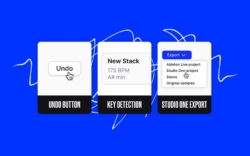
Stacks can be exported to any DAW, using the Stems export option, where modified samples, complete with pitch- and tempo-shifting, are downloaded to your computer. From there, just drag and drop from your system file browser into your DAW. There are also export options for Ableton Live and Studio One, where Stacks open in those DAWs exactly as they appeared on Splice—volume levels included.
How many Stacks can I build on Splice?
There is no limit to the number of Stacks that can be saved on Splice, but only subscribers can make full use of the loops within a Stack, by licensing and exporting them to their DAW. Not a subscriber? See which Splice plan works best for you.
How unique are my Stacks?
The CoSo technology that powers Stacks references 1.4 million loops on Splice. This starting point means there are billions of possible musical combinations every time you build a Stack, so the chance that anyone else has heard or created the same Stack as you is incredibly low. We built Stacks to give you starting points you can feel confident are yours alone.
Give us feedback on Stacks
Ever since we launched Stacks earlier this year, we’ve been building new features based on the feedback of creators of all experience levels. We want to hear your thoughts about how our AI-powered tools can continue to transform your creative workflow—smash the Give Feedback button and tell us what you think. If you need support on working with Stacks, head to our knowledgebase page.
Stacks is included in all Splice plans—click below to get started:
October 11, 2023