Sounds
  1. Sounds
  2. Neuro DnB
  3. Stories

The natural soundtrack of the brain

Another name for Neuro D&B is neurofunk (also known as neuro) - a dark subgenre of drum & bass that emerged between 1997 and 1998 in London as a progression of techstep. It was further developed by juxtaposed elements of darker, heavier, and harder forms of funk with multiple influences ranging from techno, house, and jazz, distinguished by consecutive stabs over the bassline; razor-sharp backbeats; scarce or nonexistent traditional melodies; a hyper-focus on sub sound design; the use of modulated, distorted and filtered synthesizers and audio capture from samplers such as the Akai S1000 and Emu E6400.

Neurofunk is differentiated from techstep by more emphasis on flowing complex rhythms using processed and enhanced sampled breakbeats or percussion and expressive, distorted, filtered, and modulated bass sounds overlaid with rich layered soundscapes and percussive stab sounds. Neurofunk, as described by Musicmap creator Kwinten Crauwels, "sounds like the natural soundtrack of the brain: neurological chemicals flowing and rushing, creating both deeply obscure and delicate emotions."
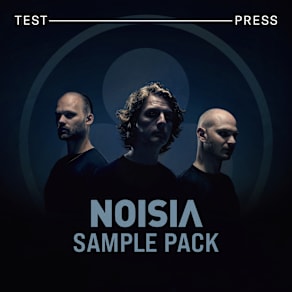
Companion Packs

FAQs

What is Splice Sounds?

Splice Sounds is an industry-leading catalog of royalty-free samples, loops, one-shots, MIDI and presets for music production. Browse sounds by genre, instrument, key, BPM, and more, preview individual sounds, search by text or audio, and download the ones that fit your track.

Are Splice sounds royalty-free?

Yes, every single sample on Splice is 100% royalty free, meaning they're free to use, even for commercial use. You can download samples on Splice, then make and release original music with those samples, and you don't owe Splice (or anyone else) any more than your subscription fee, even if your track goes viral.

Can I use Splice sounds for commercial use?

Yes. In fact, we can even supply you with documentation in case you ever need to prove that your music is royalty-free and properly licensed. The license for sounds you download from Splice Sounds permits use for commercial and non-commercial purposes so long as you remain in compliance with our Terms of Use.

Is my DAW supported?

Splice Sounds works with any DAW. Download samples and add them directly to your projects using the Splice Sounds Plugin (beta) or the Desktop App. All purchased samples are downloaded locally to your machine in .wav format.

Ableton, Fender Studio Pro, and Pro Tools users should use the Splice direct integrations in their DAWs for the best workflow experience, plus a rotating selection of free sounds for their projects.

For all other DAWs, download the free Splice Sounds Plugin (beta) to search, browse, and preview samples in your project's key and tempo. Then, subscribe to download sounds or create Variations.

How do Sounds credits work?

Use credits to download your favorite samples, loops, one-shots, presets, MIDI & more. All samples are one credit each. MIDI patterns and presets use up to three credits each. Unused credits automatically roll over to the next month. Keep everything you download, even if you cancel.

With our DAW integration plans for Ableton Live, Fender Studio Pro, and Pro Tools, you can license up to 100 individual samples per day by simply dragging and dropping the samples into your project. Once licensed, samples live in your Library, and you can download them at any time. With a Creator or Creator+ plan, you can also license up to 100 sounds per day directly in any of our native DAW integrations without using credits.

Do I have to download a full pack or can I download individual samples?

You can download individual samples on Splice, not just full packs. Every single sample, preset, MIDI, one shot, and loop on Splice is available for individual download, so you can only download what you need.

What happens to the sounds I download if I cancel?

Every sound you download is yours forever. Keep everything you download, even if you cancel. Learn more about our cancellation policy here.

Can't find your answer here?

Check out our Help Center, Licensing FAQ, or Plans FAQ for more information.