Sounds
  1. Sounds
  2. Sunset Sound Tapes
  3. Stories

Paying homage to Sunset Sound’s beginnings

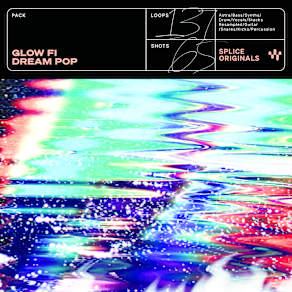
Reflecting on how this pack came together, Nicky Paul shared:

“The original purpose of writing and recording these records was purely for me. Not something to release or to make money from, rather, creating something for the sake of creating and doing it in the purest possible form. I come from a “player” background, specifically but not limited to jazz, where folks can sometimes do too much on an instrument.

I wanted to capture a group of highly talented musicians recording simultaneously to get that “human sound” without the complexities of playing “too much.” On the tech end, I wanted to produce these records as close to the way this sound was originally produced (i.e direct to tape).

Because there are a lot of influences from the ‘60s and ‘70s in the songwriting, getting that natural tape distortion and saturation was paramount. Unknown Mortal Orchestra and Tame Impala are two modern examples of projects utilizing a similar technique that influenced these recordings.

There were very few overdubs, no recording direct to DAW and running to tape and back, and the majority of edits were taken from a single take. Although I would maybe do this differently, a big part of the sound was having amps in the same room (with baffles) as the drums. Bleed occurred, which for separate editing purposes can be funky, but for authenticity purposes, can’t be beat.

The session was recorded on a custom API 32x24x8 Demedio Sunset Sound Custom Console with API 550-A equalizer’s on all modules (along with the classic outboard accouterment we find in most well-recognized studios). The tricky part was getting the tape print back to digital to line up.

Luckily, Sunset Sound supplied an SMPTE alignment system (Alesis MasterLink) for the Studer A-827 24 track we were using so as to get it as close to on the grid as wanted. Because tape machines are still machines and run on analog mechanisms… naturally, they drift. One of the coolest parts about Sunset Sound is that every studio in the complex shares access to both chamber and plate reverbs housed in the facility. This was especially useful for sending drum and guitar amp signal.

Every sound in this pack was recorded directly to tape and done so at the highest level to create quality that is unmatched and completely in line from playing to recording as it was done on some of the classic records recorded to tape. Funny enough, a lot of those records were recorded on the same board, same room, same tape machine, and same studio as where these sounds were recorded. Enjoy!”

Session players:
Chris Hartz (drums)
Sam Sugarman (guitar)
Ross Clark (guitar)
Thomas Drayton (bass)

Engineers:
Andrew Lappin
Clinton Welander

Producer:
Nicky Paul

Companion Packs

FAQs

What is Splice Sounds?

Splice Sounds is an industry-leading catalog of royalty-free samples, loops, one-shots, MIDI and presets for music production. Browse sounds by genre, instrument, key, BPM, and more, preview individual sounds, search by text or audio, and download the ones that fit your track.

Are Splice sounds royalty-free?

Yes, every single sample on Splice is 100% royalty free, meaning they're free to use, even for commercial use. You can download samples on Splice, then make and release original music with those samples, and you don't owe Splice (or anyone else) any more than your subscription fee, even if your track goes viral.

Can I use Splice sounds for commercial use?

Yes. In fact, we can even supply you with documentation in case you ever need to prove that your music is royalty-free and properly licensed. The license for sounds you download from Splice Sounds permits use for commercial and non-commercial purposes so long as you remain in compliance with our Terms of Use.

Is my DAW supported?

Splice Sounds works with any DAW. Download samples and add them directly to your projects using the Splice Sounds Plugin (beta) or the Desktop App. All purchased samples are downloaded locally to your machine in .wav format.

Ableton, Fender Studio Pro, and Pro Tools users should use the Splice direct integrations in their DAWs for the best workflow experience, plus a rotating selection of free sounds for their projects.

For all other DAWs, download the free Splice Sounds Plugin (beta) to search, browse, and preview samples in your project's key and tempo. Then, subscribe to download sounds or create Variations.

How do Sounds credits work?

Use credits to download your favorite samples, loops, one-shots, presets, MIDI & more. All samples are one credit each. MIDI patterns and presets use up to three credits each. Unused credits automatically roll over to the next month. Keep everything you download, even if you cancel.

With our DAW integration plans for Ableton Live, Fender Studio Pro, and Pro Tools, you can license up to 100 individual samples per day by simply dragging and dropping the samples into your project. Once licensed, samples live in your Library, and you can download them at any time. With a Creator or Creator+ plan, you can also license up to 100 sounds per day directly in any of our native DAW integrations without using credits.

Do I have to download a full pack or can I download individual samples?

You can download individual samples on Splice, not just full packs. Every single sample, preset, MIDI, one shot, and loop on Splice is available for individual download, so you can only download what you need.

What happens to the sounds I download if I cancel?

Every sound you download is yours forever. Keep everything you download, even if you cancel. Learn more about our cancellation policy here.

Can't find your answer here?

Check out our Help Center, Licensing FAQ, or Plans FAQ for more information.