Sounds
  1. Sounds
  2. Global Percussion with Nate Werth
  3. Stories

Nate Werth encourages curiosity

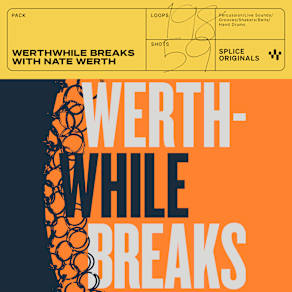
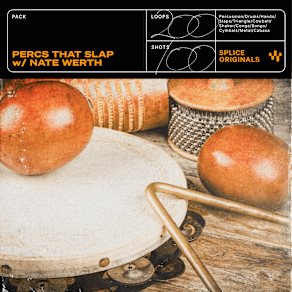
Nate Werth is one of those musicians who doesn't just play his instrument. He has dedicated himself as a student of the history and evolution of percussion through time and space. Recording these sounds felt like watching a kid open presents on their birthday. Werth brought in percussion instruments from Africa, India, and beyond.

He played frame drums, hand drums, odd woodblocks, handmade shakers, loose snares, crashing cymbals, brassy bells, and so much more. We recorded everything with an array of our favorite mics. We used two U87s as stereo overheads, SM57s and Sennheiser MD421s for the snares, hand drums, and miscellaneous percussion we wanted to mic closely, and a Neumann 47 to capture the overall room ambiance.

His curiosity has led him to develop a unique and versatile playing style which earned him collaborations with artists from every genre and generation you'd imagine, and many you wouldn’t including Snarky Puppy, Q-Tip, and David Crosby—to name a few.

In this pack, recorded at Atlantic Studios in Brooklyn, you'll find teeth-chattering grooves, dust-shaking drum breaks, an array of labyrinthine rhythms, and more. Buckle up and enjoy the ride.
Companion Packs

FAQs

What is Splice Sounds?

Splice Sounds is an industry-leading catalog of royalty-free samples, loops, one-shots, MIDI and presets for music production. Browse sounds by genre, instrument, key, BPM, and more, preview individual sounds, search by text or audio, and download the ones that fit your track.

Are Splice sounds royalty-free?

Yes, every single sample on Splice is 100% royalty free, meaning they're free to use, even for commercial use. You can download samples on Splice, then make and release original music with those samples, and you don't owe Splice (or anyone else) any more than your subscription fee, even if your track goes viral.

Can I use Splice sounds for commercial use?

Yes. In fact, we can even supply you with documentation in case you ever need to prove that your music is royalty-free and properly licensed. The license for sounds you download from Splice Sounds permits use for commercial and non-commercial purposes so long as you remain in compliance with our Terms of Use.

Is my DAW supported?

Splice Sounds works with any DAW. Download samples and add them directly to your projects using the Splice Sounds Plugin (beta) or the Desktop App. All purchased samples are downloaded locally to your machine in .wav format.

Ableton, Fender Studio Pro, and Pro Tools users should use the Splice direct integrations in their DAWs for the best workflow experience, plus a rotating selection of free sounds for their projects.

For all other DAWs, download the free Splice Sounds Plugin (beta) to search, browse, and preview samples in your project's key and tempo. Then, subscribe to download sounds or create Variations.

How do Sounds credits work?

Use credits to download your favorite samples, loops, one-shots, presets, MIDI & more. All samples are one credit each. MIDI patterns and presets use up to three credits each. Unused credits automatically roll over to the next month. Keep everything you download, even if you cancel.

With our DAW integration plans for Ableton Live, Fender Studio Pro, and Pro Tools, you can license up to 100 individual samples per day by simply dragging and dropping the samples into your project. Once licensed, samples live in your Library, and you can download them at any time. With a Creator or Creator+ plan, you can also license up to 100 sounds per day directly in any of our native DAW integrations without using credits.

Do I have to download a full pack or can I download individual samples?

You can download individual samples on Splice, not just full packs. Every single sample, preset, MIDI, one shot, and loop on Splice is available for individual download, so you can only download what you need.

What happens to the sounds I download if I cancel?

Every sound you download is yours forever. Keep everything you download, even if you cancel. Learn more about our cancellation policy here.

Can't find your answer here?

Check out our Help Center, Licensing FAQ, or Plans FAQ for more information.