Sounds
  1. Sounds
  2. Convocation
  3. Stories

Behind the Scenes: Making the Pack with Swoope

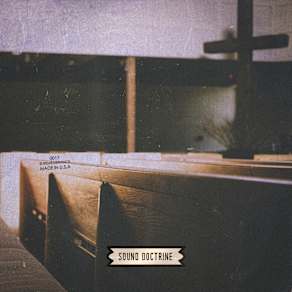
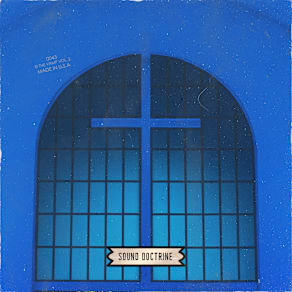
Singer-songwriter, producer, and creator of Sound Doctrine’s Convocation pack, Lawrence Allen Swoope II (known as Swoope) sought out to craft a gospel pack that’s both accessible and tangible. He wanted you to be able to “smell the fish dinners cooking in the church basement when you listen to these samples” and feel like you’re in the Sunday service as he and fellow musicians and vocalists were performing. He says, “This release is not a cliché gospel snippet. These creators have been to night service, have been to convocation.”

Much like most convocation services, the making of this pack was heavily based on improvisation. Swoope wanted the singers to answer “what do you feel right now?” with their vocals, which is where all of Swoope’s work starts. He didn’t plan out chord structures or melodies. Instead, he gathered with a group of singers to sit down and started playing whatever chords came to him and they sang what they felt, which happens a lot in service.

Swoope told us, “You don’t always know what the singer is going to sing in testimonial service or what groove the musicians will make up during the offering, but you better be prepared.” He added, “Feelings are communal. Improvising what you have, bottling it up, and sharing it with another person is exactly what I’m hoping this convocation pack does.”

The majority of today’s gospel music is very clean with multiple over-dubs. Swoope came up with ‘80s and ‘90s gospel, where you’ll hear some dissonance, a tangible quality you can miss out on if the production is too pristine. He wanted to create music with texture that’s easy to sample. He reflected, “There are so many possibilities when everything is stemmed out rather than being limited to just the whole sample. It takes creativity to a whole new plateau.”

His general advice to artists is “Be the varsity version of yourself, not the junior varsity version of someone else. What this pack sparks in you is only going to spark in you. Don’t rob the world of you by trying to be someone else.” Regarding this pack, he says, “Take it and do what you want with it. Feel the pack and let it inspire you. What is this pack causing you to feel in your heart, your soul, your belly? The possibilities are endless.”
Companion Packs

FAQs

What is Splice Sounds?

Splice Sounds is an industry-leading catalog of royalty-free samples, loops, one-shots, MIDI and presets for music production. Browse sounds by genre, instrument, key, BPM, and more, preview individual sounds, search by text or audio, and download the ones that fit your track.

Are Splice sounds royalty-free?

Yes, every single sample on Splice is 100% royalty free, meaning they're free to use, even for commercial use. You can download samples on Splice, then make and release original music with those samples, and you don't owe Splice (or anyone else) any more than your subscription fee, even if your track goes viral.

Can I use Splice sounds for commercial use?

Yes. In fact, we can even supply you with documentation in case you ever need to prove that your music is royalty-free and properly licensed. The license for sounds you download from Splice Sounds permits use for commercial and non-commercial purposes so long as you remain in compliance with our Terms of Use.

Is my DAW supported?

Splice Sounds works with any DAW. Download samples and add them directly to your projects using the Splice Sounds Plugin (beta) or the Desktop App. All purchased samples are downloaded locally to your machine in .wav format.

Ableton, Fender Studio Pro, and Pro Tools users should use the Splice direct integrations in their DAWs for the best workflow experience, plus a rotating selection of free sounds for their projects.

For all other DAWs, download the free Splice Sounds Plugin (beta) to search, browse, and preview samples in your project's key and tempo. Then, subscribe to download sounds or create Variations.

How do Sounds credits work?

Use credits to download your favorite samples, loops, one-shots, presets, MIDI & more. All samples are one credit each. MIDI patterns and presets use up to three credits each. Unused credits automatically roll over to the next month. Keep everything you download, even if you cancel.

With our DAW integration plans for Ableton Live, Fender Studio Pro, and Pro Tools, you can license up to 100 individual samples per day by simply dragging and dropping the samples into your project. Once licensed, samples live in your Library, and you can download them at any time. With a Creator or Creator+ plan, you can also license up to 100 sounds per day directly in any of our native DAW integrations without using credits.

Do I have to download a full pack or can I download individual samples?

You can download individual samples on Splice, not just full packs. Every single sample, preset, MIDI, one shot, and loop on Splice is available for individual download, so you can only download what you need.

What happens to the sounds I download if I cancel?

Every sound you download is yours forever. Keep everything you download, even if you cancel. Learn more about our cancellation policy here.

Can't find your answer here?

Check out our Help Center, Licensing FAQ, or Plans FAQ for more information.