Trending Rubicon Sample Packs
- PackSamplesPresets
-
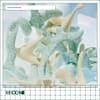
1
Terraforming
by Rubicon
179 samples
13 presets
-
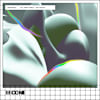
2
Chromagy - Polyrhythmic Botanica
by Rubicon
371 samples
0 presets
-
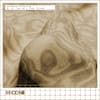
3
Augmented Percussion with Azu Tiwaline & Cinna Peyghamy
by Rubicon
278 samples
0 presets
-
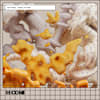
4
1 Textural Modulations
by Rubicon
240 samples
0 presets
-
5
2 Experimental & Cinematic Modular
by Rubicon
360 samples
0 presets
-
6
5 Cloud Forest
by Rubicon
261 samples
0 presets
-
7
-1 Effervescent Serum 2 by Vic Bang
by Rubicon
0 samples
50 presets
-
8
5 Amapiano Origins
by Rubicon
233 samples
0 presets
-
9
29 Spectral Morphing
by Rubicon
278 samples
0 presets
-
10
38 Prepared Piano
by Rubicon
364 samples
0 presets
-
11
1 Forest Percussion
by Rubicon
248 samples
0 presets
-
12
-4 Club Quirks - UK Bass
by Rubicon
278 samples
0 presets
-
13
-9 Plant Music & Granular Performances
by Rubicon
199 samples
0 presets
-
14
2 Glitch Tapestries
by Rubicon
217 samples
0 presets
-
15
-1 RAMZi - multi-quest
by Rubicon
186 samples
0 presets
-
16
15 Shook Rhythms
by Rubicon
235 samples
0 presets
-
17
13 Machine Funk
by Rubicon
251 samples
0 presets
-
18
-3 Textural Forms
by Rubicon
235 samples
0 presets
-
19
-1 Japan Editions - Nagoya & Osaka Ambient
by Rubicon
189 samples
0 presets
-
20
8 Synthesized Field Recordings
by Rubicon
161 samples
0 presets
-
21
25 Japan Editions: Melodic Leftfield Bass
by Rubicon
256 samples
0 presets
-
22
21 Techno Diaspora
by Rubicon
222 samples
0 presets
-
23
45 Hybrid Drums & Atmospheric Percussion
by Rubicon
264 samples
3 presets
-

24
-1 Biopoiesis
by Rubicon
243 samples
0 presets
-

25
Burnt. Then Frozen.
by Rubicon
250 samples
0 presets
-
26
-17 Polymorphic Perc
by Rubicon
270 samples
0 presets
-
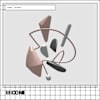
27
14 Tonal Scapes
by Rubicon
250 samples
0 presets
-
28
-8 Tea Memory
by Rubicon
200 samples
0 presets
-
29
34 Indonesian Live Coding
by Rubicon
266 samples
0 presets
-
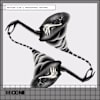
30
-3 Mexican Club & Prehispanic Rhythms
by Rubicon
195 samples
3 presets
-
31
-21 Factory Percussion
by Rubicon
236 samples
0 presets
-
32
19 Generative Melodies
by Rubicon
168 samples
0 presets
-
33
-9 Fractal Dimensions
by Rubicon
254 samples
0 presets
-
34
22 Fractured Percussion & Club Mutations
by Rubicon
171 samples
1 preset
-
35
-6 Leftfield House & Analog Ambience
by Rubicon
255 samples
0 presets
-
36
-3 Liquid Metals & Polyrhythms
by Rubicon
217 samples
0 presets
-
37
-15 Hybrid Winds
by Rubicon
238 samples
0 presets
-
38
-4 Open Worlds: Music For Games
by Rubicon
113 samples
0 presets
-
39
-3 Underwater Zones
by Rubicon
124 samples
20 presets
-
40
-5 Dream Realities
by Rubicon
203 samples
0 presets
-
41
1 Celestial Voice & Earthly Textures
by Rubicon
171 samples
2 presets
-
42
-23 Ambient Drones & Atmospheres
by Rubicon
215 samples
0 presets
-
43
2 Micropercussion
by Rubicon
194 samples
2 presets
-

44
-27 Polyrhythmic Palettes with Tristan Arp
by Rubicon
223 samples
0 presets
-
45
-13 Artifact Percussion
by Rubicon
202 samples
0 presets
-
46
-7 Inorganic Alchemy
by Rubicon
349 samples
2 presets
-
47
5 Cycle of Drone
by Rubicon
150 samples
0 presets
-

48
2 Interdimensional Club Stylings
by Rubicon
198 samples
0 presets
-
49
-9 Theremin Explorations w/ hYrtis
by Rubicon
222 samples
0 presets
-
50
-13 Free Jazz
by Rubicon
223 samples
0 presets
FAQs
What is Splice Sounds?
Splice Sounds is an industry-leading catalog of royalty-free samples, loops, one-shots, MIDI and presets for music production. Browse sounds by genre, instrument, key, BPM, and more, preview individual sounds, search by text or audio, and download the ones that fit your track.
Are Splice sounds royalty-free?
Yes, every single sample on Splice is 100% royalty free, meaning they're free to use, even for commercial use. You can download samples on Splice, then make and release original music with those samples, and you don't owe Splice (or anyone else) any more than your subscription fee, even if your track goes viral.
Can I use Splice sounds for commercial use?
Yes. In fact, we can even supply you with documentation in case you ever need to prove that your music is royalty-free and properly licensed. The license for sounds you download from Splice Sounds permits use for commercial and non-commercial purposes so long as you remain in compliance with our Terms of Use.
Is my DAW supported?
Splice Sounds works with any DAW. Download samples and add them directly to your projects using the Splice Sounds Plugin (beta) or the Desktop App. All purchased samples are downloaded locally to your machine in .wav format.
Ableton, Fender Studio Pro, and Pro Tools users should use the Splice direct integrations in their DAWs for the best workflow experience, plus a rotating selection of free sounds for their projects.
For all other DAWs, download the free Splice Sounds Plugin (beta) to search, browse, and preview samples in your project's key and tempo. Then, subscribe to download sounds or create Variations.
How do Sounds credits work?
Use credits to download your favorite samples, loops, one-shots, presets, MIDI & more. All samples are one credit each. MIDI patterns and presets use up to three credits each. Unused credits automatically roll over to the next month. Keep everything you download, even if you cancel.
With our DAW integration plans for Ableton Live, Fender Studio Pro, and Pro Tools, you can license up to 100 individual samples per day by simply dragging and dropping the samples into your project. Once licensed, samples live in your Library, and you can download them at any time. With a Creator or Creator+ plan, you can also license up to 100 sounds per day directly in any of our native DAW integrations without using credits.
Do I have to download a full pack or can I download individual samples?
You can download individual samples on Splice, not just full packs. Every single sample, preset, MIDI, one shot, and loop on Splice is available for individual download, so you can only download what you need.
What happens to the sounds I download if I cancel?
Every sound you download is yours forever. Keep everything you download, even if you cancel. Learn more about our cancellation policy here.
Can't find your answer here?
Check out our Help Center, Licensing FAQ, or Plans FAQ for more information.