Cutting Drums to Vinyl with Diz Lathe Cuts
ModeAudio’s Vinyl Drums 2 has just dropped on Splice, bringing you 333 drum samples and 103 drum loops dripping with genuine static and lively vinyl character.
To celebrate, we decided to peel back the curtain and give you an insight into the making of the release, sitting down with our man with the stylus responsible for cutting the sounds to disc, Diz Lathe Cuts.
ModeAudio (MA): How did you get into lathe cutting? Presumably you’d been interested in vinyl from a listener’s, and maybe a DJ’s, perspective beforehand?
Diz Lathe Cuts (DLC): After collecting records for the best part of 15 years, vinyl was already a big part of my life as a listener and DJ. I’ve also always been technically minded, fixing and modifying my own equipment.
Lathe cutting came from wanting to understand records from the other side. Not just playing them, collecting them, or repairing the machines that play them, but learning how sound becomes a physical groove.
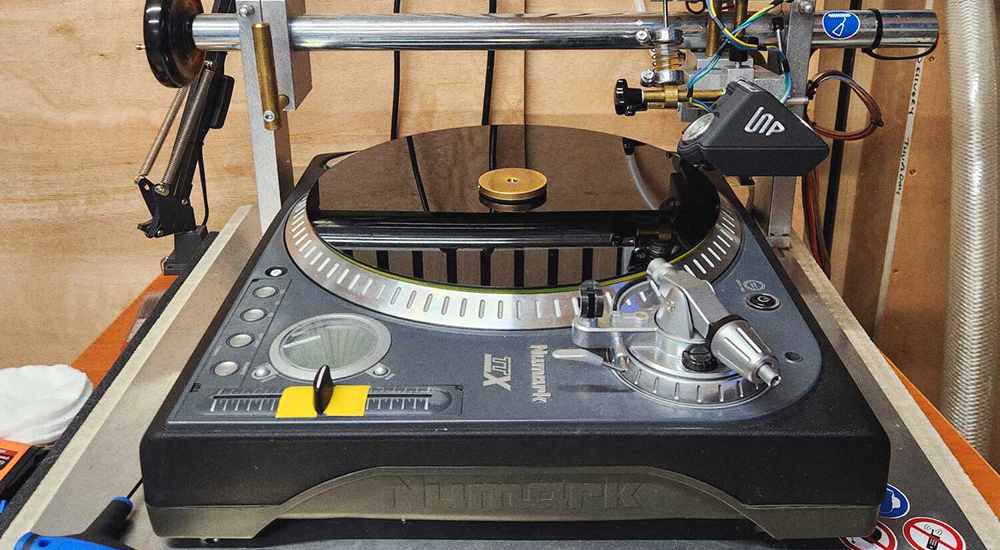
I went down a rabbit hole with the mysterious art of bringing a technical mindset to a truly artistic format. After a long few years trying to source a cutting lathe, I finally got my hands on one and built the best DIY rig I could from various parts.
At first it was curiosity. Then it became an obsession. You start realising how much is involved. The audio, the level, the groove spacing, the stylus heat, the blank temperature, the vacuum, the mechanics of the lathe. Every small change affects the result.
MA: The age old question, how important do you think playback medium is in the 21st century? What benefits do vinyl and turntables give you over streaming?
DLC: Streaming is useful. It gives access to almost everything, and that has value. But I don’t think access is the same thing as connection.
A record asks more from you. You choose it, handle it, put it on, listen to a side, turn it over. That changes the way you engage with the music. It slows the process down.
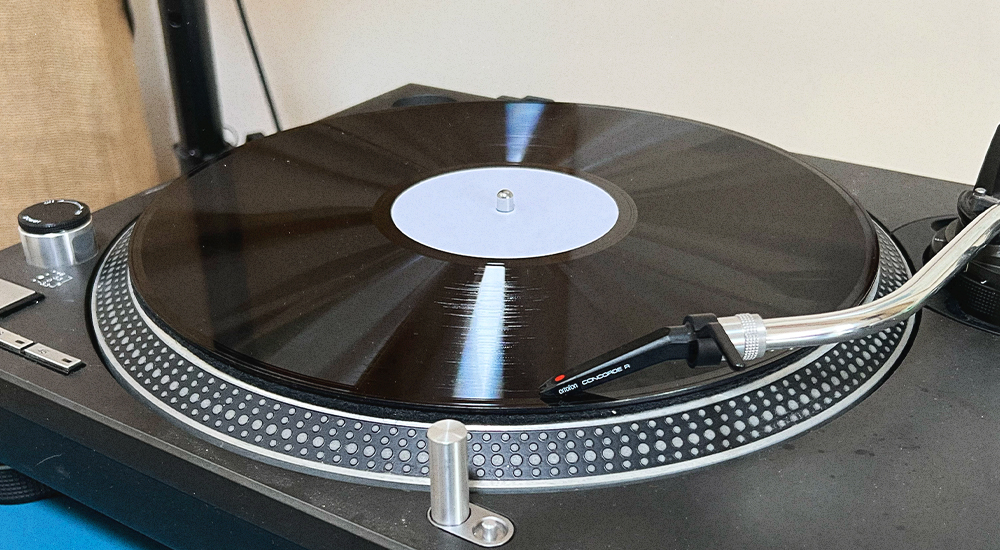
Turntables also reveal sound in a different way. They are mechanical systems. The cartridge, tonearm, platter, record, and speakers all shape the playback. That physical chain gives vinyl part of its character. It is not always about perfect accuracy. It is about experience, feel, and presence.
MA: Talk to us about the lathe cutting process itself, which seems a fascinating, intricate and deeply tactile procedure from the outside looking in.
DLC: Lathe cutting is the process of cutting a playable groove directly into a blank disc in real time.
With a pressed record, a factory makes metal stampers and presses copies from those. With lathe cuts, each record is individually cut one by one. The audio drives a cutting head, and the stylus carves the groove directly into the disc.
Before the cut, the audio has to be checked and prepared. Vinyl is physical, so you are not only asking “does this sound good?”, you are asking “will this track cleanly as a groove?”
During the cut, you are managing a lot at once. The level, groove spacing, stylus heat, blank temperature, vacuum, swarf removal, and the movement of the cutting head across the disc.
That is what makes it so tactile. You are watching and listening while the record is being made. There is no undo button. If something goes wrong, you cut another disc. It is slow, and mistakes slowly add up cost-wise, but that is also what gives the process its value.
MA: What would you expect the process of cutting our drum sounds to vinyl will give once we’ve re-sampled them, in terms of character?
DLC: Cutting drums to vinyl and then re-sampling them should give you a physical layer of colour that is hard to fake cleanly in the box.
The top end may soften. The low end may feel a bit more glued together. Depending on the source and the cut level, you might get subtle saturation, groove movement, surface texture, and a bit of mechanical compression from the format.
It should make the drums feel less static. You are passing them through a physical process, with a stylus cutting a groove and a cartridge reading it back. That introduces small movements, tone shifts, and imperfections.
For drums, that can be a good thing. Kicks can feel more planted. Snares and hats can take on a bit of grit. Loops can feel more lived-in. It is not about making them lo-fi for the sake of it. It is about adding real-world movement and texture from the vinyl chain.