Sounds
  1. Sounds
  2. 1987 - Astra Outrun Patches
  3. Stories

How to Recreate OutRun & Other Arcade-era Sounds with Astra

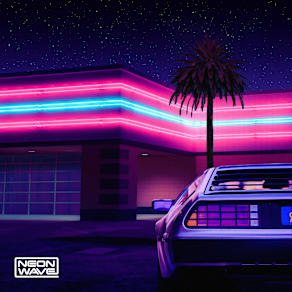
OutRun is an arcade driving video game released by Sega in September 1986. It's known for its pioneering hardware and graphics, nonlinear gameplay, a selectable soundtrack with music composed by Hiroshi Kawaguchi, and the hydraulic motion simulator deluxe arcade cabinet. The goal is to avoid traffic and reach one of five destinations. The game was designed by Yu Suzuki, who traveled to Europe to gain inspiration for the game's stages. Suzuki had a small team and only ten months to program the game, leaving him to do most of the work himself. The game was a critical and commercial success, becoming the highest-grossing large/dedicated arcade game of 1987 in Japan and America as well as Sega's most successful arcade cabinet of the 1980s. 

Created by Splice, Astra is a classic synthesizer plugin and sound design tool that enables you to come up with high-quality sounds as quickly as possible. With Astra's Envelope Generators (EG), it’s never been easier to replicate classic bass synth patches found throughout Outrun tunes. You can emulate vintage Juno-60 basses by employing a subtle amount of Envelope Decay to the Cutoff Filter for pristine '80s vibes. With two oscillators featuring a vast array of waveforms, creating signature OutRun leads with Astra is a breeze. FM and Analog synthesis is the perfect combo to recreate arcade-era sounds—just be sure to change your voice settings to Monophonic, enable Astra's onboard "Glide" feature, and you're good to go. For extra rhythm and choppy chords, take full advantage of Astra's 32-step Note & Macro Sequencer for unique patterns and sequences. Download this pack
Companion Packs

FAQs

What is Splice Sounds?

Splice Sounds is an industry-leading catalog of royalty-free samples, loops, one-shots, MIDI and presets for music production. Browse sounds by genre, instrument, key, BPM, and more, preview individual sounds, search by text or audio, and download the ones that fit your track.

Are Splice sounds royalty-free?

Yes, every single sample on Splice is 100% royalty free, meaning they're free to use, even for commercial use. You can download samples on Splice, then make and release original music with those samples, and you don't owe Splice (or anyone else) any more than your subscription fee, even if your track goes viral.

Can I use Splice sounds for commercial use?

Yes. In fact, we can even supply you with documentation in case you ever need to prove that your music is royalty-free and properly licensed. The license for sounds you download from Splice Sounds permits use for commercial and non-commercial purposes so long as you remain in compliance with our Terms of Use.

Is my DAW supported?

Splice Sounds works with any DAW. Download samples and add them directly to your projects using the Splice Sounds Plugin (beta) or the Desktop App. All purchased samples are downloaded locally to your machine in .wav format.

Ableton, Fender Studio Pro, and Pro Tools users should use the Splice direct integrations in their DAWs for the best workflow experience, plus a rotating selection of free sounds for their projects.

For all other DAWs, download the free Splice Sounds Plugin (beta) to search, browse, and preview samples in your project's key and tempo. Then, subscribe to download sounds or create Variations.

How do Sounds credits work?

Use credits to download your favorite samples, loops, one-shots, presets, MIDI & more. All samples are one credit each. MIDI patterns and presets use up to three credits each. Unused credits automatically roll over to the next month. Keep everything you download, even if you cancel.

With our DAW integration plans for Ableton Live, Fender Studio Pro, and Pro Tools, you can license up to 100 individual samples per day by simply dragging and dropping the samples into your project. Once licensed, samples live in your Library, and you can download them at any time. With a Creator or Creator+ plan, you can also license up to 100 sounds per day directly in any of our native DAW integrations without using credits.

Do I have to download a full pack or can I download individual samples?

You can download individual samples on Splice, not just full packs. Every single sample, preset, MIDI, one shot, and loop on Splice is available for individual download, so you can only download what you need.

What happens to the sounds I download if I cancel?

Every sound you download is yours forever. Keep everything you download, even if you cancel. Learn more about our cancellation policy here.

Can't find your answer here?

Check out our Help Center, Licensing FAQ, or Plans FAQ for more information.