Sounds
  1. Sounds
  2. Neon Noir - Retro Soundtrack
  3. Stories

Creator chats: Sound designer Allen Morgan talks about making sounds with analog gear

For Neon Noir - Retro Soundtrack presented by Neon Wave, we talked to producer and sound designer Allen Morgan about the making of the pack. Via Zoom, we got to have a peek inside Allen's studio - a sleek and modern space where modular synths decorate one wall while other analog equipment catches your eye all along the parameter of the spacious room. It's a synth lover's paradise.

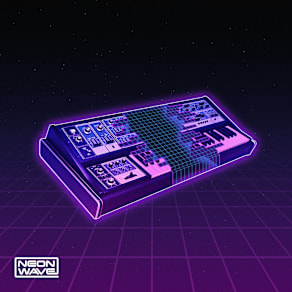
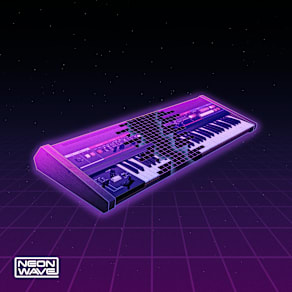
Everything used in the pack was all analog-based. Allen shared, "I used all real synthesizers. There's no software involved. I processed everything through preamps, compressors, guitar, pedals—all outboard gear." Allen wanted to use the synths of the 1980s that were originally used to create the songs and compositions that these sounds were loosely inspired by. He used a Korg MS-20, ARP Odyssey, Yamaha DX7, Roland D-50, a variety of Moog synths, and modular synths.

Allen explained, "I guess I'm a cinematic nerd of sorts. I just love that kind of sound particularly, Vangelis and John Carpenter's style. I guess you could call it retro cinematic—big synthesizer, big reverbs. In terms of contemporary composers, I also look to Cliff Martinez, as well as Trent Reznor and Alessandro Cortini of Nine Inch Nails. I like the spooky stuff, I guess. A lot of the music and sounds I make are in that vein."

The other thing that makes this pack unique is that Allen created every sound in the collection - all 350 - from scratch. He explained, "I never reuse the same sound, which means crafting an entire pack takes a significant amount of time. With these old analog instruments, there are no presets. You can't save anything. For every setting on an old analog synthesizer, once you get that sound, you have to record it right there. And if you change anything, it's a totally different sound at that point. That's why every sample is created from scratch."

The sounds in Neon Noir - Retro Soundtrack can and should be used in any genre. Allen said that he worries the word "cinematic" or "soundtrack" can pigeonhole a collection. Rather, these sounds are primed to accomplish some kind of mood in any project without being overbearing. "None of these samples are taking over the track, they are more textural, great for layers. These sounds could live in the background and set the tone. I took the angle of less is more. There is a lot said in one loop, but it doesn't necessarily overtake the whole track," he told us.

Download this pack
Companion Packs

FAQs

What is Splice Sounds?

Splice Sounds is an industry-leading catalog of royalty-free samples, loops, one-shots, MIDI and presets for music production. Browse sounds by genre, instrument, key, BPM, and more, preview individual sounds, search by text or audio, and download the ones that fit your track.

Are Splice sounds royalty-free?

Yes, every single sample on Splice is 100% royalty free, meaning they're free to use, even for commercial use. You can download samples on Splice, then make and release original music with those samples, and you don't owe Splice (or anyone else) any more than your subscription fee, even if your track goes viral.

Can I use Splice sounds for commercial use?

Yes. In fact, we can even supply you with documentation in case you ever need to prove that your music is royalty-free and properly licensed. The license for sounds you download from Splice Sounds permits use for commercial and non-commercial purposes so long as you remain in compliance with our Terms of Use.

Is my DAW supported?

Splice Sounds works with any DAW. Download samples and add them directly to your projects using the Splice Sounds Plugin (beta) or the Desktop App. All purchased samples are downloaded locally to your machine in .wav format.

Ableton, Fender Studio Pro, and Pro Tools users should use the Splice direct integrations in their DAWs for the best workflow experience, plus a rotating selection of free sounds for their projects.

For all other DAWs, download the free Splice Sounds Plugin (beta) to search, browse, and preview samples in your project's key and tempo. Then, subscribe to download sounds or create Variations.

How do Sounds credits work?

Use credits to download your favorite samples, loops, one-shots, presets, MIDI & more. All samples are one credit each. MIDI patterns and presets use up to three credits each. Unused credits automatically roll over to the next month. Keep everything you download, even if you cancel.

With our DAW integration plans for Ableton Live, Fender Studio Pro, and Pro Tools, you can license up to 100 individual samples per day by simply dragging and dropping the samples into your project. Once licensed, samples live in your Library, and you can download them at any time. With a Creator or Creator+ plan, you can also license up to 100 sounds per day directly in any of our native DAW integrations without using credits.

Do I have to download a full pack or can I download individual samples?

You can download individual samples on Splice, not just full packs. Every single sample, preset, MIDI, one shot, and loop on Splice is available for individual download, so you can only download what you need.

What happens to the sounds I download if I cancel?

Every sound you download is yours forever. Keep everything you download, even if you cancel. Learn more about our cancellation policy here.

Can't find your answer here?

Check out our Help Center, Licensing FAQ, or Plans FAQ for more information.